
Every operator places it dead-on, from the very first piece
Your operators never have to measure again: Place Projector projects the placement marks straight onto the garment — for heat transfers and embroidery alike. They work faster, waste less blank stock, and hold the same quality from the first piece.
From €49/month excl. VAT. No contract.
Everything to place it right starting tomorrow
The projector, the software and our support: you get everything you need to place every design in the right spot, from the very first piece.
.webp)
A video projector
A projector prepared and tested by us, linked over Wi-Fi, no cables. Two models to choose from: Essentiel or Pro.
.webp)
Software that keeps improving
Create, align and project your guides in a few clicks. Intuitive software that keeps evolving, built to make every placement simpler.
.webp)
Support & updates
Full follow-up: technical support, automatic updates and hardware replacement when needed.
How Place Projector works
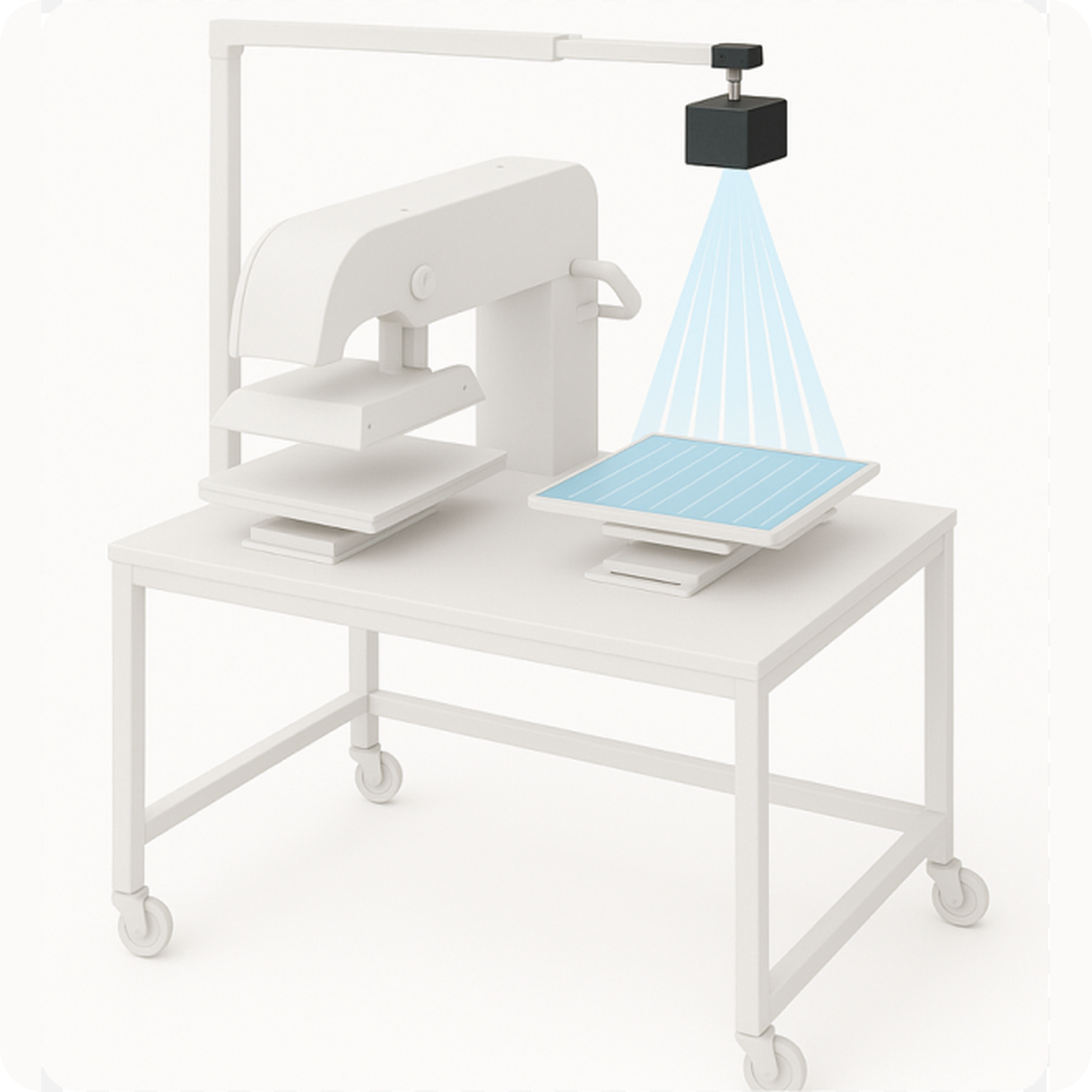
A projector above the station, software that displays the mark. Your operators just follow the line.
Build my plan1. Receive and mount the projector
Fix it to the wall or the ceiling, link it to the shop Wi-Fi, calibrate once. No shop remodeling required.
2. Build your template
You set the design position once. A few clicks in the software, no technical skill required.
3. The mark or logo appears on the garment
The exact area is projected onto the piece. The operator sees where to place it and stops measuring.
4. Your operators place, and keep moving
The same mark on every piece, from the first garment to the thousandth. Trainee or veteran, the result is identical.
What you gain
Place Projector pays off for the operator, the shop, and the customer.
Real relief for your operators
Your operators place every design with a clear head, even at full pace. New hire or veteran, the result is the same.
Consistent quality, run after run
Every design lands in the same spot, press after press, stitch-out after stitch-out. The first garment matches the hundredth.
Better margins from day one
You place faster and scrap far fewer blanks: every piece is right the first time. Calculate your savings →
Customers who keep coming back
You deliver clean, even decoration on every order, with no surprises. That consistency is what brings customers back.
- By saving placements for each customer
- By starting from your own templates
- By taking the pressure off your operators

Built by workshop people, for workshops.
Place Projector grew out of 14 years running textile customisation workshops. We know what a machine down mid-run costs: hardware, software and repairs are all included in your subscription.
Luc, founder of Place Projector
Read the story behind Place Projector →Build your templates in a few clicks
In just a few minutes you'll create a template and save it.
.png)
Project the guides onto the garment
- Lines, frames and axes appear directly on the garment loaded on the press
- The operator lays the piece inside the projected frame, with no measuring or adjusting
- Switching from one design to the next is instant
- A single video output window, sent to the projector in full screen
.png)
Calibrate once and forget about it
- Project the test pattern, drag each corner to the edges of the platen, and you're done
- Keystone correction is calculated automatically, whatever the tilt of the projector
- The setting is saved: power back on and everything is in place
- A separate setting for each platen
.png)
Cover one or two platens with a single projector
- Left and right calibrated separately, each with its own geometry
- Project onto one, the other, or both at once
- An indicator shows the calibration status of each platen
- No second projector to install or set up
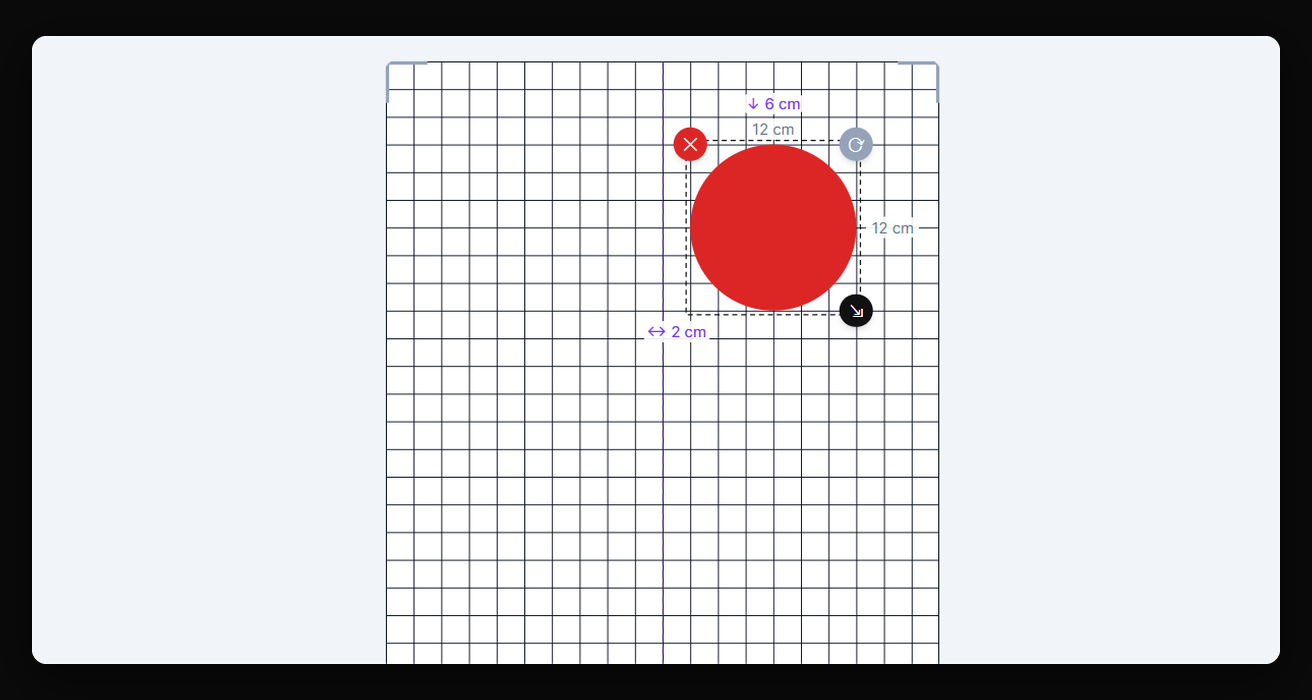
Position to the millimeter
- Position and size entered in centimeters, to the nearest millimeter
- Choose your origin point: any of the four corners of the platen, or its center
- Lock proportions to resize without distorting
- Center on the platen and rotate a quarter turn in one click
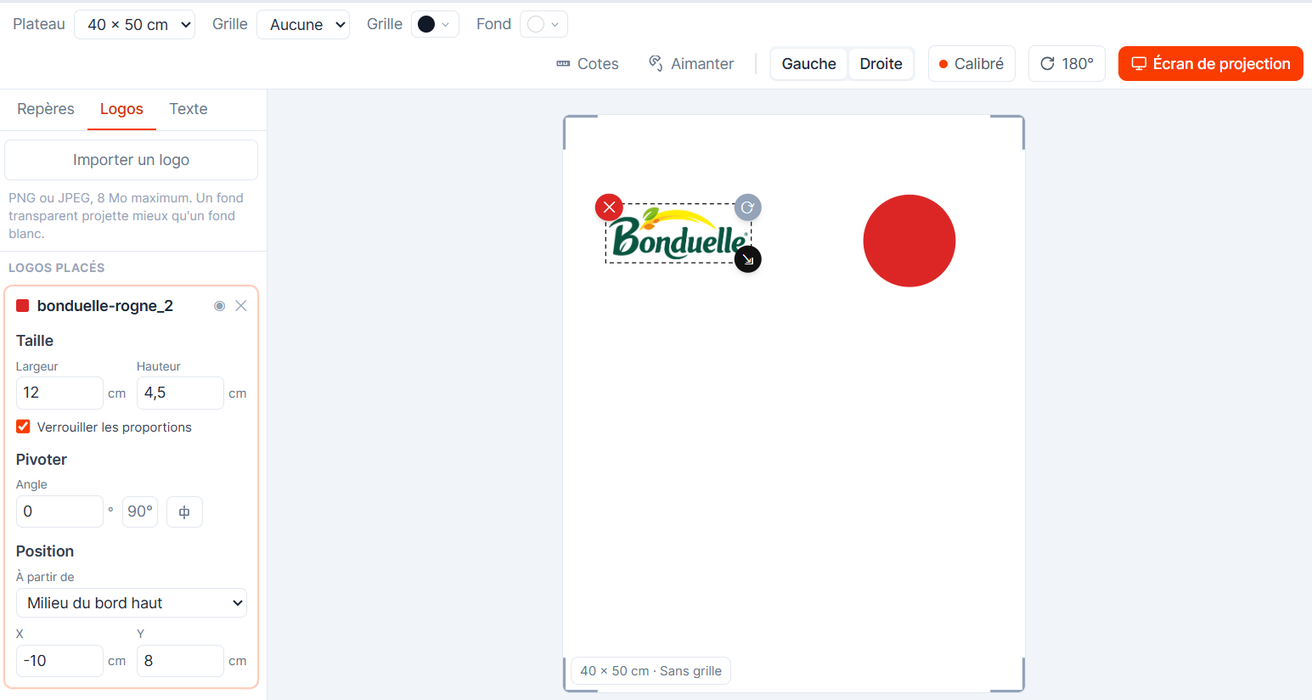
Import the customer's artwork
- Import the customer's logo or file straight into the design
- Position and resize it like any other guide
- Add text to label an area or leave an instruction
- What's projected matches the final result exactly
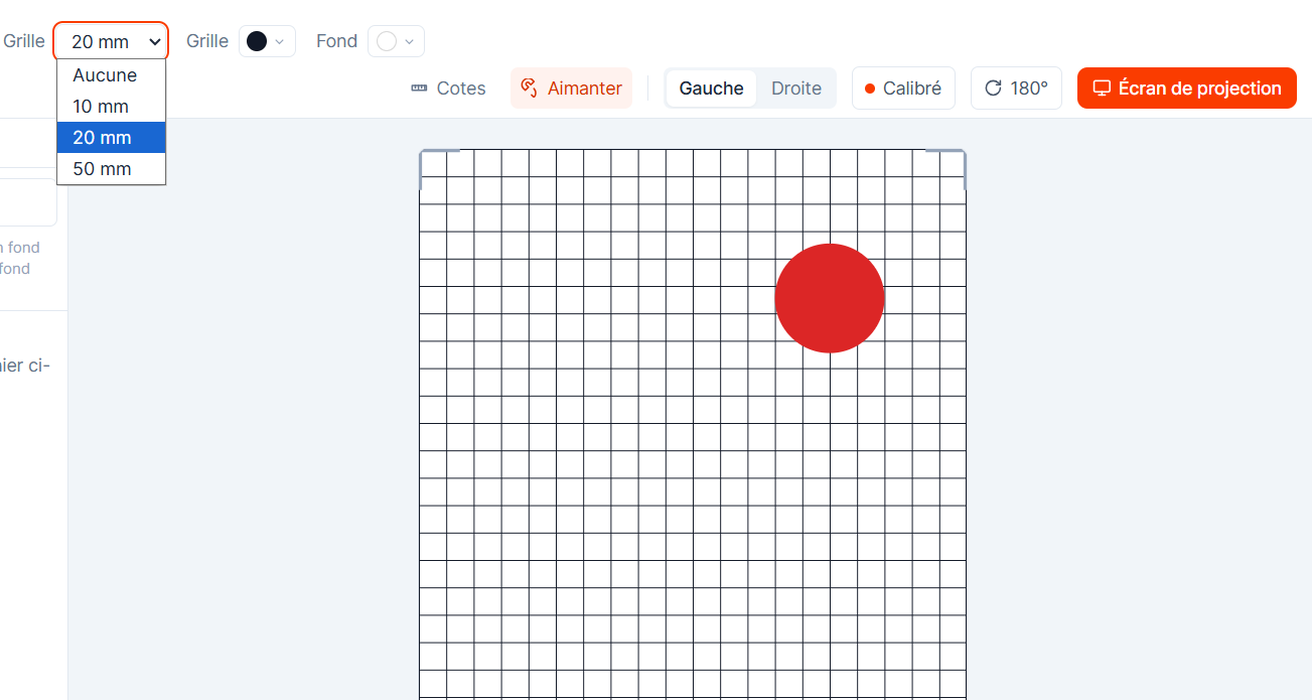
Align without thinking about it
- Grid at 10, 20 or 50 mm spacing, or switched off
- Snapping as you drag, so guides lock into place without hesitation
- Dimensions can be shown on each guide, right on the platen
- Center axis line for symmetrical placements
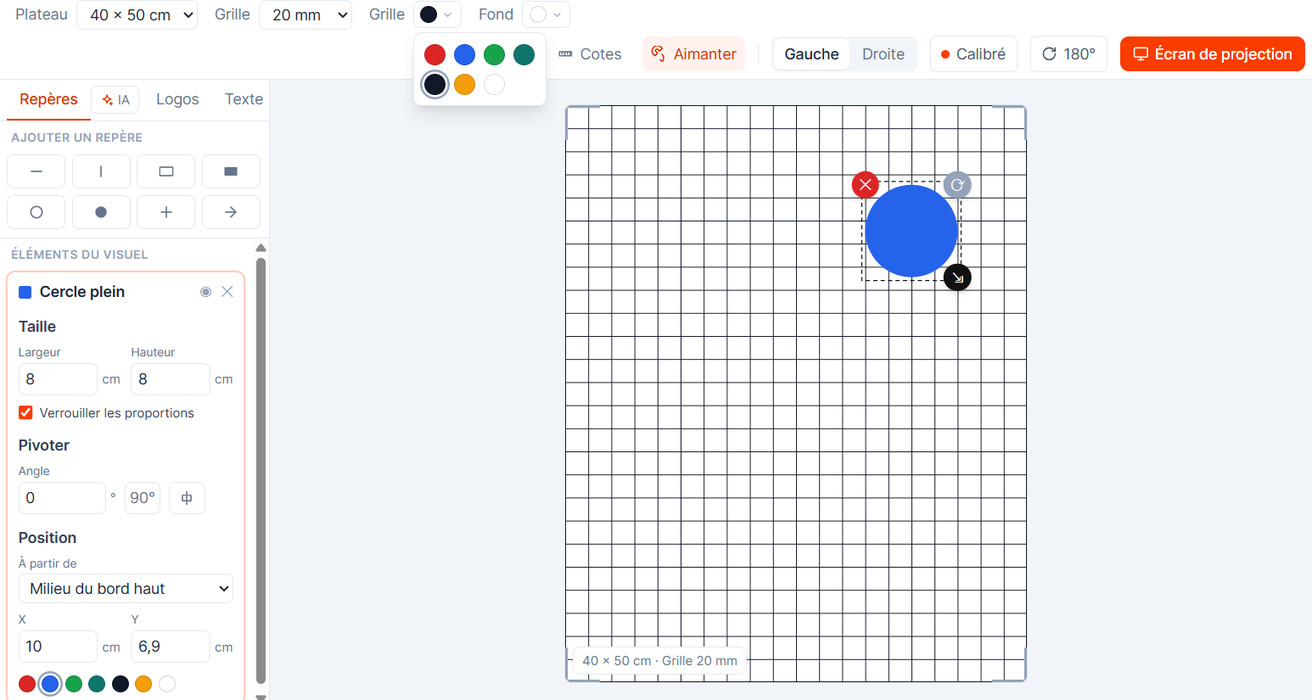
Match the color to the garment
- Red, blue, green, teal, black, orange… pick a color for each guide
- Grid color and background color set independently
- Tell the transfer area from the neckline at a glance
- Adjustable contrast for light or dark garments
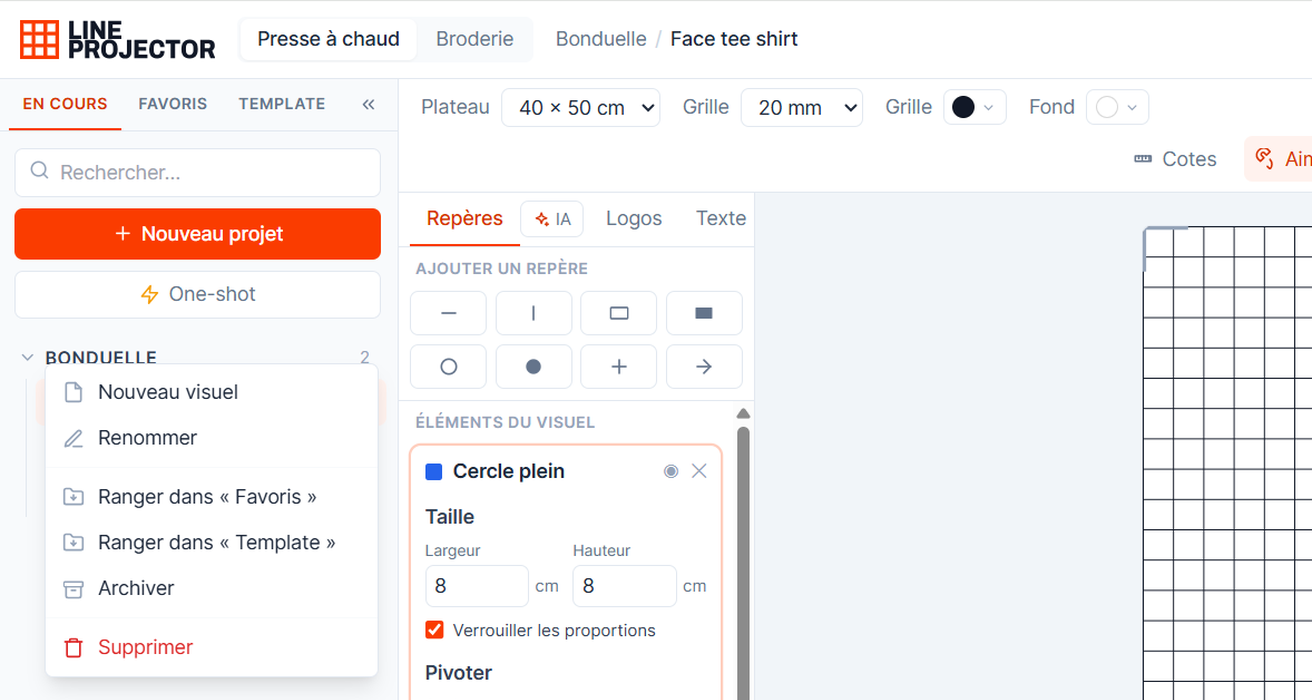
Find a placement in three seconds
- One project per customer, as many designs as there are pieces to decorate
- Tabs for In progress, Favorites and Templates, plus the archive
- Instant search across all your projects
- A repeat order six months later reopens exactly as it was
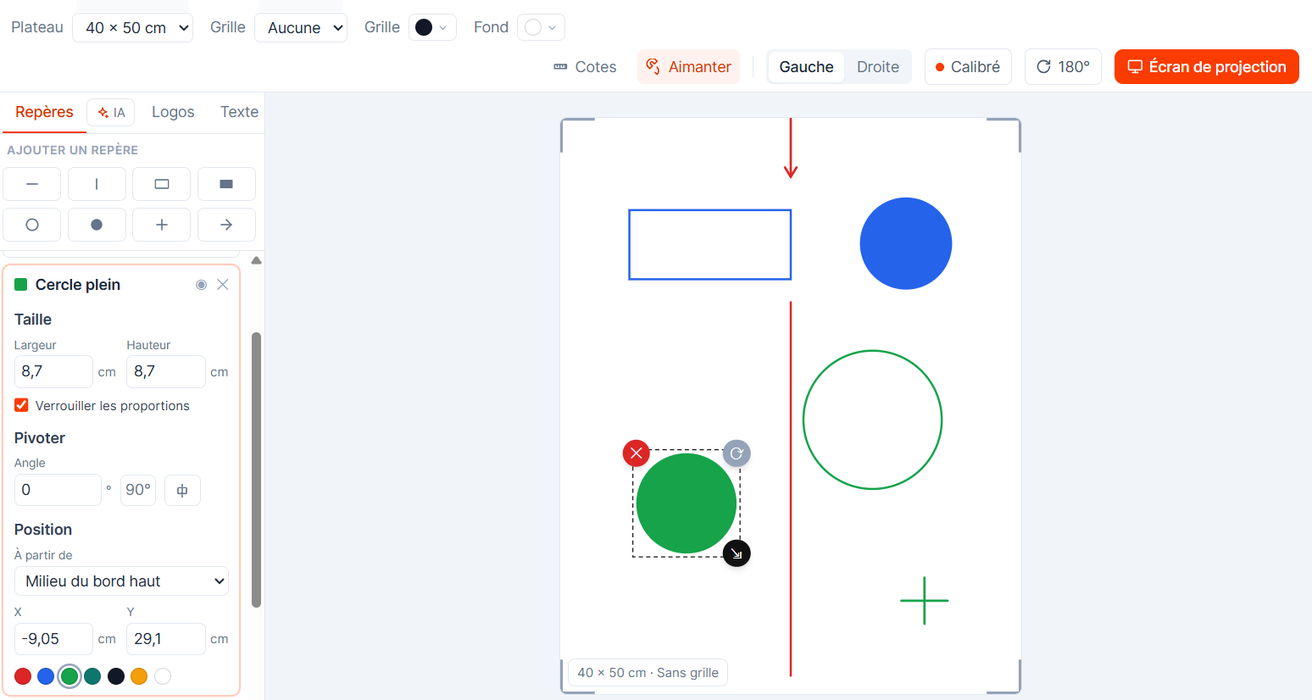
Use as many guides as you need
- Circle, square, rectangle or arrow
- As many guides as you want on the template
- Resize in one click
- Fast, dead-simple placement
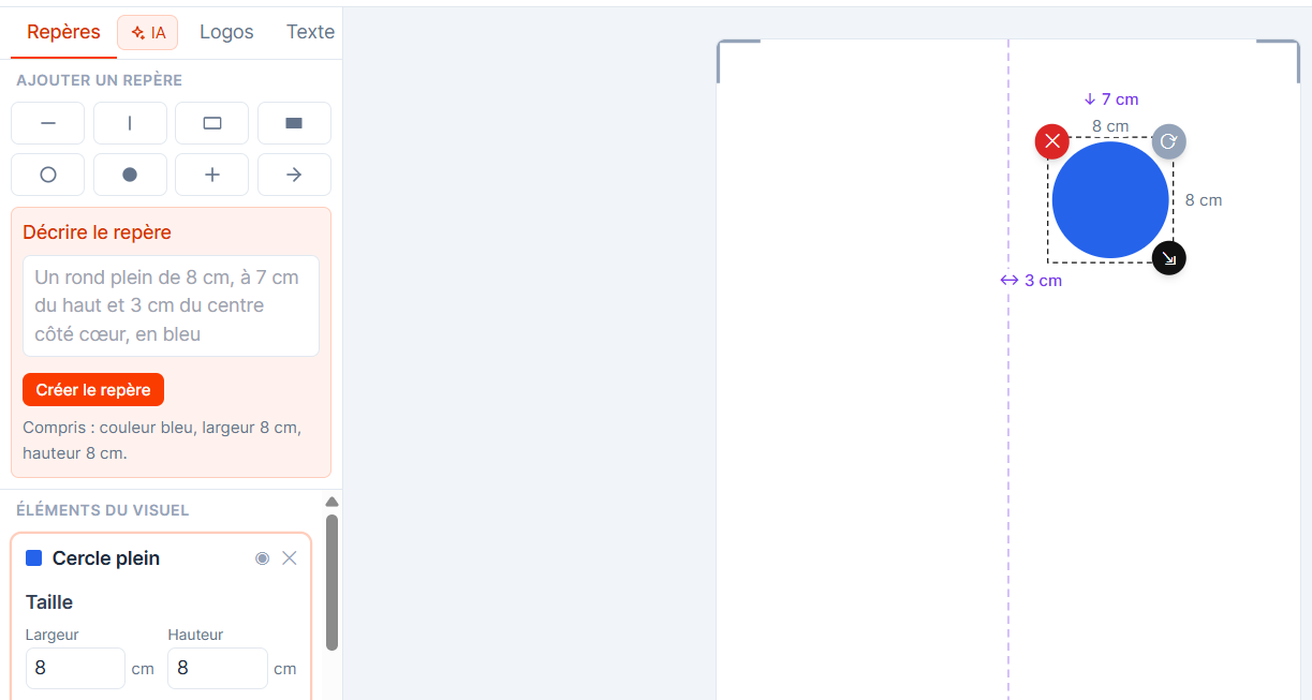
Create a guide by describing it
- Describe the guide in plain language and it's generated and positioned
- Handy for the measured placements you already know by heart
- Stays editable afterwards, like any other element
- Saves time when setting up a new design
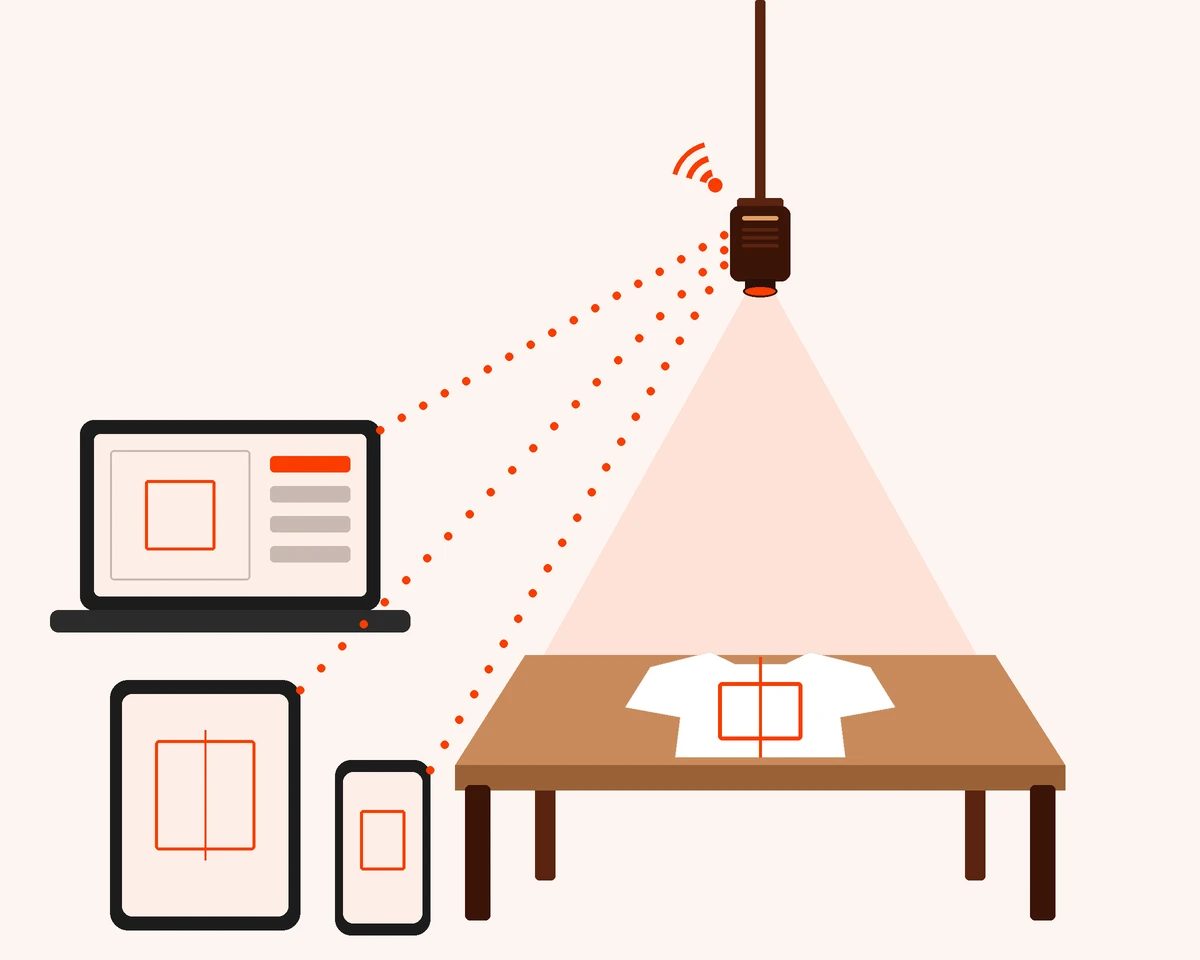
Wireless, from the device of your choice
The projector connects to your shop Wi-Fi and runs from a computer, a tablet or a phone.
- No cable at the station: nothing trailing near the hot press, nothing to catch while handling garments.
- Your own devices: no screen or box to buy, the shop phone or tablet is enough.
- Prepared in the office, used at the press: build projects on the computer, the operator opens them in one tap from the tablet next to the press.
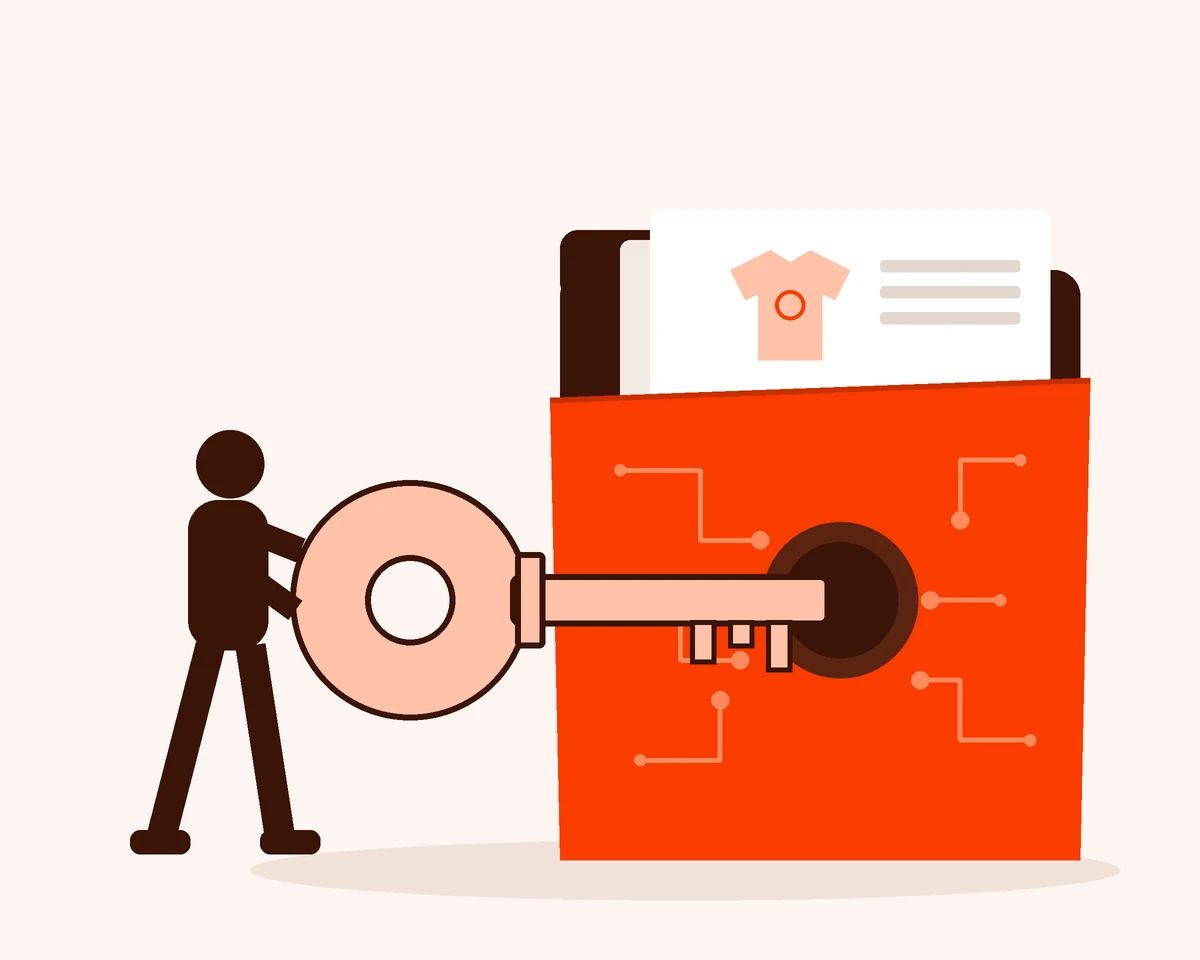
Your customer files stay yours
Projects, customer names and artwork are encrypted before they leave your shop.
- No one else can read them: not even Place Projector. Only your shop holds the key.
- Your customers' logos stay protected: the files they trust you with stay confidential.
- A promise you can make: tell your customers no one else ever sees their artwork.
Why this solution?
Nothing to buy: the projector, its mount and the software are included, with no contract. Place Projector is up and running the same day.
Accuracy
Placement is identical from the first garment to the thousandth.
Setup
Installed and first template built the same day.
No contract
Cancel anytime, no exit fees.
Software + projector
Per month excl. VAT + €99 excl. VAT setup and shipping
Who is Place Projector for?
If you put a design on a garment, Place Projector earns its place — whatever the process, whatever the size of your shop, whatever your operator's experience.
Every decoration method
DTF, screen-printed transfers, heat transfer vinyl, embroidery. One projection, every process.
Every size of shop
From a one-person shop to ten press stations. The same time saved, at your scale.
Every operator
Trainee, temp or seasoned operator: the placement is identical.
Place Projector FAQ
The most common questions about Place Projector: compatibility, setup, hardware and subscription.
Product questions
Does the software update automatically?
Yes. The software keeps evolving and updates automatically, so you get every improvement and new feature our team releases over time.
Is it compatible with my heat press?
Yes. The system doesn't attach to the press or plug into it: the projector is mounted on the wall or on the ceiling, above the station. So it works with any brand and any model, including dual-platen presses, and it moves with you if you rearrange the shop.
Because the projector sits above the press, the press must open sideways (swing-away); clamshell presses are not suitable.Does it work for embroidery too?
Yes. The principle is the same: the marks are projected onto the garment, which helps with framing and positioning before hooping. The app keeps embroidery projects separate from heat press projects.
What if my operators aren't comfortable with computers?
They don't need to be. The operator opens the customer's project in one tap on the phone or tablet next to the station, then follows the projected mark. Templates are created once, at the office, by whoever is most at ease with it.
My shop is very brightly lit. Will the marks be visible?
Yes. You choose the colour of each mark to stand out on the garment, light or dark. If your shop is very bright or the station runs all day, choose the Pro: its 3,000 ANSI lumens keep the marks clearly visible, even under strong lighting.
Is it worth it for short runs or one-off pieces?
Yes. A new placement takes a few clicks, and every project is saved: a one-off piece that comes back six months later reopens exactly as it was. On a single piece, you mostly avoid the mistake that means starting all over again.
Setup and hardware questions
What do I need to get started?
The projector and its mount (wall or ceiling, included), your shop Wi-Fi, and a phone, tablet or computer to open the app. No cable between the projector and your devices.
How long does setup take?
Allow an hour or two to fix the mount and connect the projector to the Wi-Fi. Calibration itself takes a few minutes per platen: you project a test pattern and drag its four corners to the edges of the platen. Once saved, it stays saved — switch on in the morning and everything is in place.
How much ceiling height do I need?
It's the only real requirement. The higher the projector, the further it is from the heat of the press and the wider the area it covers. The top of the projector sits 120 cm (about 47 in) above the press platen or the embroidery table.
Subscription and commitment questions
How much does it cost?
Two models, all-inclusive: the Essentiel from €49 per month excl. VAT, the Pro from €79 per month excl. VAT, per station (a heat press with 1 or 2 platens, or a hooping table). The projector, its mount, the software, updates and breakdowns are included. Add a one-time €99 excl. VAT setup and shipping fee, plus a €300 refundable deposit with the Pro. Prices for 2 and 3 stations are on the Pricing page.
Is there a minimum commitment?
No. The subscription is monthly with no commitment: you can stop at the end of any month.
What happens if I cancel?
You send the projector and its mount back to us within 15 days. With the Pro, your €300 deposit is refunded. Your projects and marks stay saved in your account: if you come back later, you'll find them just as you left them.
What if the projector breaks down?
The hardware does work in tough conditions: heat rising from the press, lint building up, and long days of continuous use. The projector remains our property: if it breaks down or gets damaged, we repair or replace it as quickly as possible, at our expense. Only loss and theft are not covered. And every 5 years at the latest, we replace it with a new equivalent or newer model, at no charge.
Can I equip several stations?
Yes. One projector per press or embroidery table. With the Essentiel: €93 per month excl. VAT for two stations, €132 for three. With the Pro: €153 for two, €222 for three. A quote beyond that. You can add more at any time from your account: the subscription for a new one starts 6 days after it ships.
Become a Place Projector shop
Don't miss the chance to change your operators' days and lift your margins.